Microsoft Outlook for Mac users report abnormal viewing pane font size

Users may report finding that they have noticed changes to the font sizing in preview windows for email messages in Microsoft Outlook for Mac, but not recall making any changes personally to their systems configuration.
When investigating, all typical font sizes in standard sections of the application may be as normal and following the macOS system settings.
It is highly likely that the viewing pane font size has changed, which may be triggered by accidental keystrokes.
To resolve, the font size can be adjusted in one of two ways.
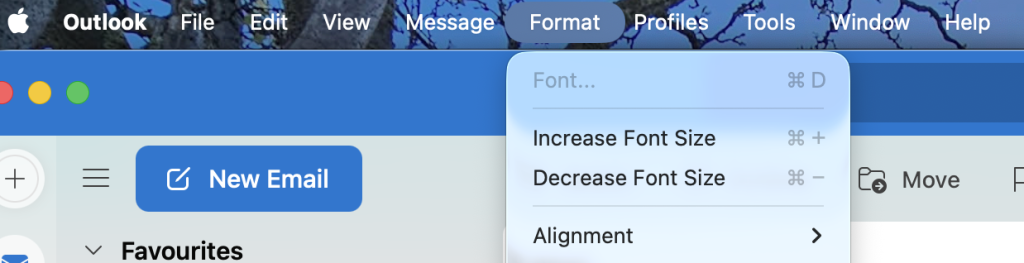
When in the main Outlook session, click the Format menu and select either Increase Font Size or Decrease Font Size. This shortcut on the keyboard can be accessed when focussed on the viewing pain and selecting Command + or Command -.