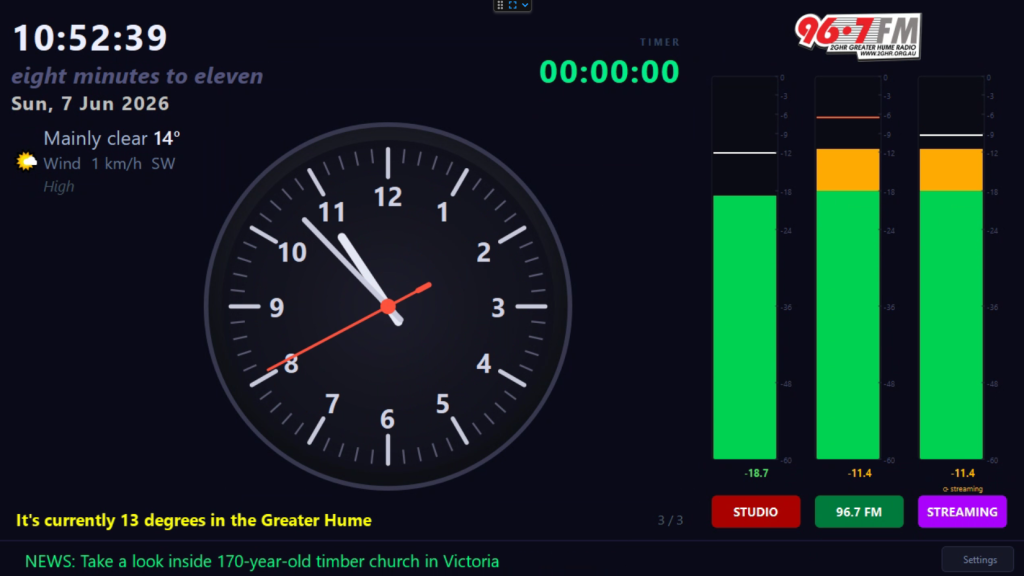
Studio Clock
Studio Clock is a native Windows display application designed specifically for broadcast studio monitors. It provides presenters with essential time, date, and weather information, while seamlessly integrating critical live data like “Now Playing” track info, RSS news feeds, and visual audio monitoring.
While studio display software is a staple of the industry, existing commercial options are cost-prohibitive for not-for-profit community broadcasters. Many stations rely on legacy solutions; in fact, the most popular cost-effective tool in the sector—which served stations reliably for over a decade—was abandoned years ago when its developer retired from broadcast software creation. Studio Clock steps into this gap as a modern, supported, and accessible alternative.
Key Features:
- Fully Customizable Interface: A dedicated control panel allows stations to adjust the color, size, and positioning of all key on-screen elements.
- Dynamic Information Tickers: Easily configure the bottom-of-screen ticker to display “Now Playing” metadata and live RSS news feeds.
- Live Weather Integration: Displays localized weather data powered by the Open-Meteo API.
- Studio Timer: Supports TCP connections for precision countdowns and studio timing.
- Advanced Audio Monitoring: Visualizes audio levels using local hardware inputs (via WDM or WASAPI) or directly from network web streams (HTTP, AAC+, or MP3).
- Silence & Fault Detection: To prevent dead air, audio interruptions trigger high-visibility alerts, including a flashing red border around the affected channel and bright red status indicators in the ticker panels.
Studio Clock is currently in active development and internal testing, with plans expanding toward a wider community beta testing phase and public release soon.